


The Reported inventory —also known as the reorder point—is the inventory level at which a reorder must be triggered to ensure that the goods arrive on time. This article explains the formula, provides a calculation example, and distinguishes between the reorder point and the minimum inventory level.
The Reported inventory indicates when to reorder. If the inventory level drops to this value, a purchase order is triggered. The goal is for the new shipment to arrive before the Minimum inventory (the iron reserve) must be tapped. The reorder point is thus the core of the reorder point system.
Reorder Point = (average daily consumption × lead time in days) + minimum inventory
The three values mean:
A business consumes the following each day 20 units, the lead time is 5 days, the minimum balance is 50 units.
Reported inventory = (20 × 5) + 50 = 150 units. As soon as inventory drops to 150 units, a new order will be placed.
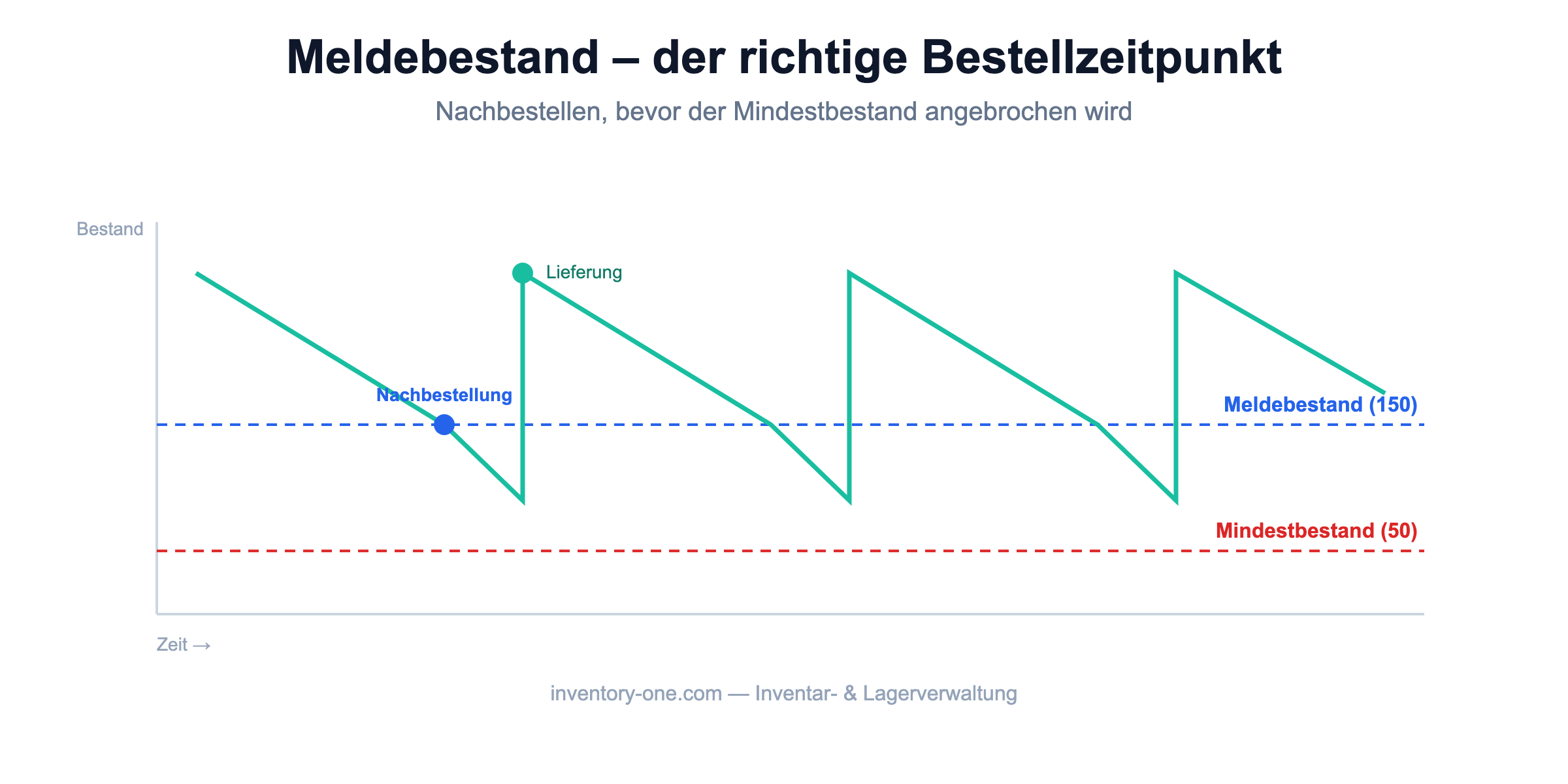
These two terms are often confused: The Minimum inventory is the reserve that, if possible, should not be touched. The Reported inventory is set above that level and triggers a reorder in a timely manner. Read more about this in our article on minimum inventory levels.
Manually updating reorder points, minimum stock levels, and inventory turnover rates takes time and is prone to errors. A digital inventory and warehouse management system such as Inventory ONE records every movement via Barcode/QR Code Scan, automatically calculates the key figures and issues a warning as soon as the reorder point is reached. Learn more on our pages about Warehouse management and Inventory management.
The stock level at which a reorder is triggered so that the goods arrive before the minimum stock level is reached.
Reorder Point = (average daily consumption × lead time in days) + minimum inventory.
The minimum stock level is the safety stock; the reorder point is set above that level and triggers a reorder in a timely manner.
In that case, the subsequent shipment may arrive too late, resulting in shortfalls and delivery delays.
About 10,000 satisfied users Trust in Inventory ONE