












By loading the video, you accept YouTube's privacy policy.
Learn more
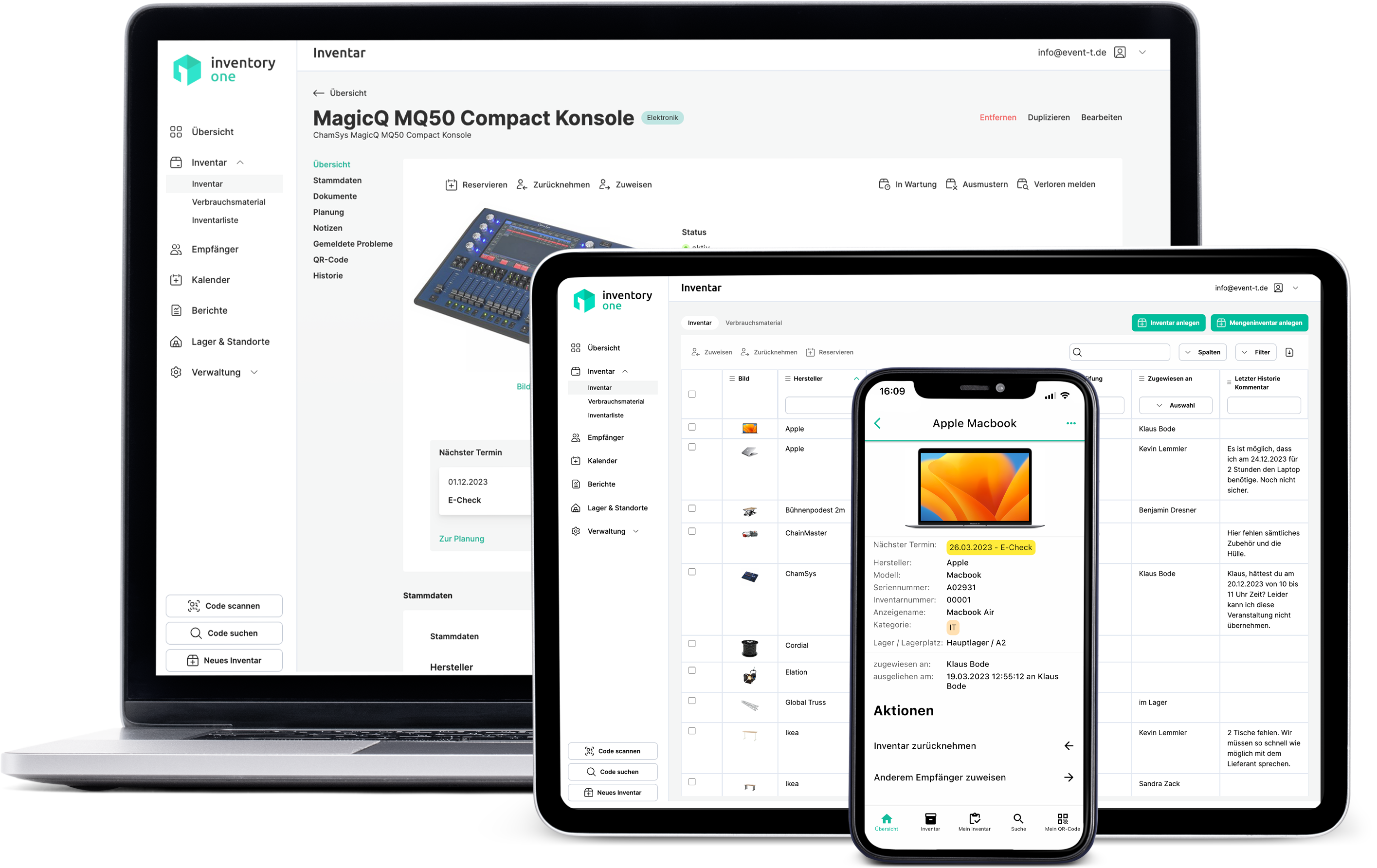
If you have difficulties keeping track of your equipment and consumables in event technology, Inventory ONE can provide enormous support as a digital equipment management system. It has well thought-out and tried-and-tested functions that make managing your equipment much easier. With optional QR codes, you can call up important information at lightning speed and carry out necessary actions easily from anywhere and at any time.
More about Resource management with Inventory ONE.
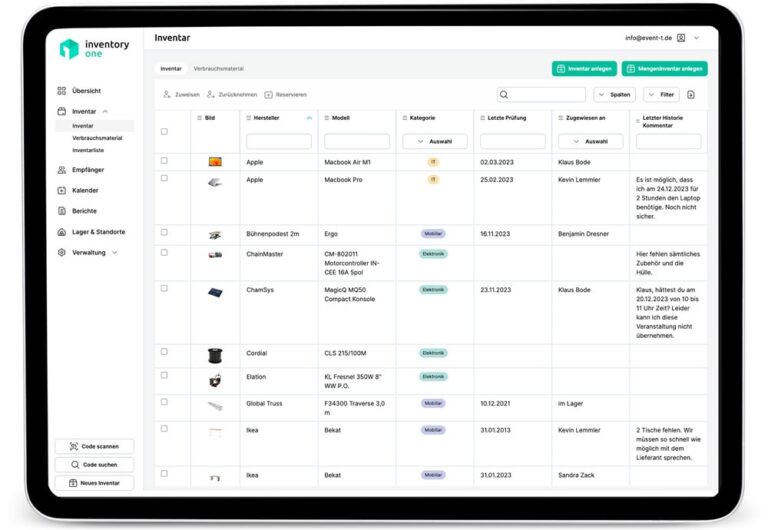
With Inventory ONE, you can always see where which equipment is located, who is currently using what, who has reserved what and when, or whether maintenance or inspection dates are due for certain devices. You can also view your stock at all times.
Inventory ONE also gives you a very good overview of your stock of consumables (tape, cable ties, etc.) at all times. When the specified quantity of a material is reached, you are automatically reminded via the application and by e-mail what needs to be reordered.
To ensure that your equipment is always in good working order, you can create appointments so that no maintenance or prescribed inspections are missed. You will be automatically reminded of the appointment in the app and by email if you wish.
With Inventory ONE, every authorized person in your team has access to information about the equipment. In addition to the overview, reservations and appointments, you can also upload information (such as user manuals) for a device, which can be accessed anytime and anywhere.
Inventory ONE can process scanned QR codes. Although these are not absolutely necessary, they will save you a lot of time if you want to enter new equipment or retrieve data on equipment that has already been stored. Inventory ONE offers QR codes that are ideal for this at a reasonable price (More info). The barcodes on your devices can also be processed by Inventory ONE.
Assignments in Inventory ONE are very flexible. Resources can be assigned not only to colleagues and employees, but also to external persons, projects, locations, rooms or subcontractors. You can also flexibly set the access rights in Inventory ONE. Employees in your team can independently pass on and exchange your equipment among themselves and document this in a verifiable manner. For example, if you assign a device to an employee, this action is actively confirmed by the employee concerned. The same happens in reverse when returning equipment.
If equipment has been issued or loaned out, you can quickly find each individual device using our detailed search function. You can also specify whether employees can search the entire equipment or only for individual devices assigned to them.
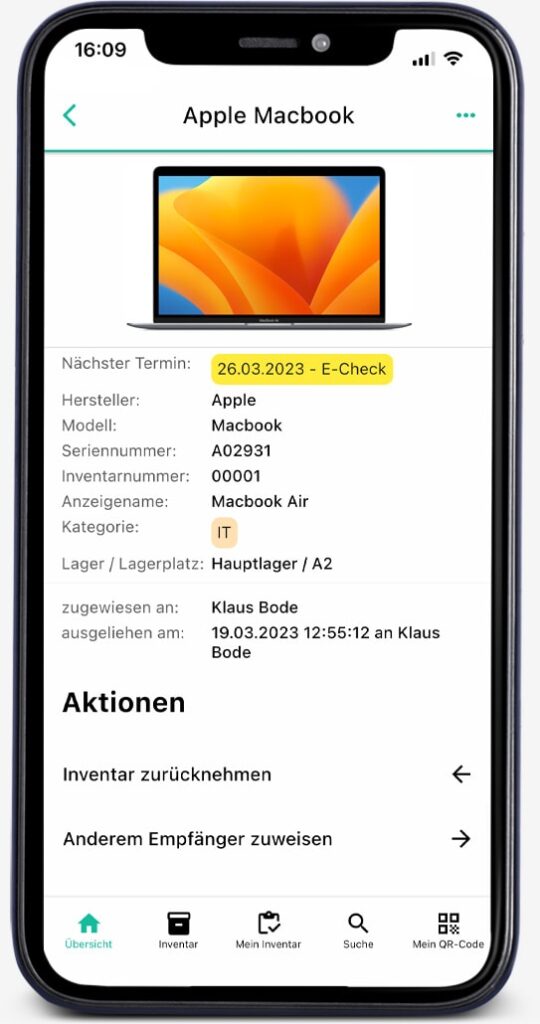
To organize your equipment in the best possible way, you need the option of reserving individual devices directly in the system. This is exactly what Inventory ONE makes very easy to do. This practical function will help you to plan the use and availability of your equipment well. This avoids trouble within the team and no one in your team will be unpleasantly surprised if, for example, a piece of equipment that you urgently need is not available.
If certain devices cause problems or are damaged, employees can record this directly in the app. In your overview, those responsible in your team can always see whether a new problem has been reported and can therefore react in good time. In this way, you avoid the problem only being remembered when someone already needs the device.
With Inventory ONE, you can see the "life cycle" of all operating resources. How long have they been with you, who has used them and for how long, and what was their overall utilization? When was a device broken, when was it repaired and when was it serviced? This information is not only helpful as proof, but also when planning the purchase of new equipment. This software makes the complete documentation of your equipment very easy.
For the initial equipment of new employees or for recurring projects, Inventory ONE supports you in issuing the required inventory. In this case, lists can be defined which operating resources are issued by default. This saves you a lot of time with recurring tasks.
Have you already recorded your operating resources in a large Excel list or have you been using other software to manage your operating resources? In this case, we will be happy to help you move to Inventory ONE. With our data import, the switch is usually straightforward. And if your existing data is a little more complex, we will be happy to help you import it.
Inventory ONE was developed to make the day-to-day work of event technicians much easier. It may make sense to integrate the application into your IT environment. If you need interfaces for this, please contact us.
Inventory ONE is currently available in German, English, French and Italian. Further languages will follow. However, if you urgently need another language, please let us know. Our experts will try to help as quickly as possible.

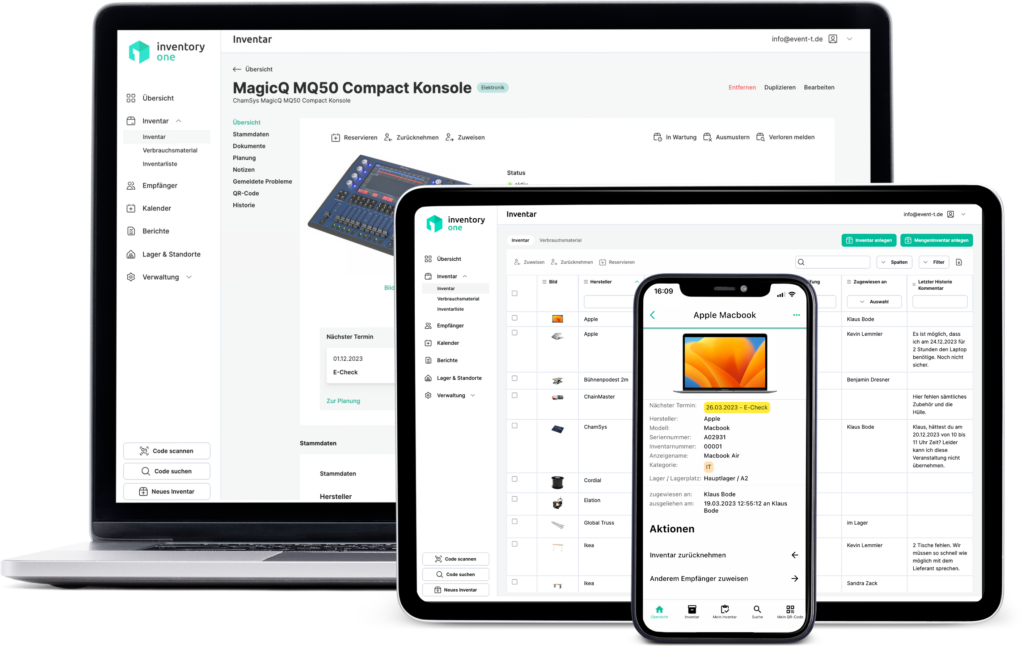



About 10,000 satisfied users Trust in Inventory ONE