The Inventory is the systematic recording of all of a company's assets—the foundation for a functioning Inventory Management Software and every inventory count. This article explains the definition, process, and methods of inventory taking and distinguishes it from an inventory count.
Key Points at a Glance
Inventory taking is the process of recording and uniquely identifying all assets.
It serves as the foundation for inventory management, physical inventory counts, and fixed asset accounting.
Each item is assigned a Inventory number and usually a label.
Use modern methods Barcode or QR code instead of handwritten lists.
What is inventory taking?
Under Inventory This refers to the comprehensive, structured inventory of all assets belonging to a company or organization. Each item is recorded along with its key characteristics—name, location, value—and uniquely identified. The result is an up-to-date inventory that provides information at any time about what is available and where it is located.
Asset Inventory vs. Physical Inventory
These two terms are often confused:
Inventory is that Initial and ongoing data collection the objects (create, label, maintain).
Inventory is that Counting and reconciliation as of a specific date of the actual inventory. Which Inventory Types To find out more, read our overview.
In short: First, an inventory is taken; then, inventory counts are conducted on a regular basis.
Why is inventory taking important?
Overview: You'll always know what assets the company has.
Evidence: Basis for financial statements, insurance, and depreciation.
Shrinkage Protection: Losses and theft are noticed more quickly.
Efficiency: Shorter search times, clearly defined responsibilities.
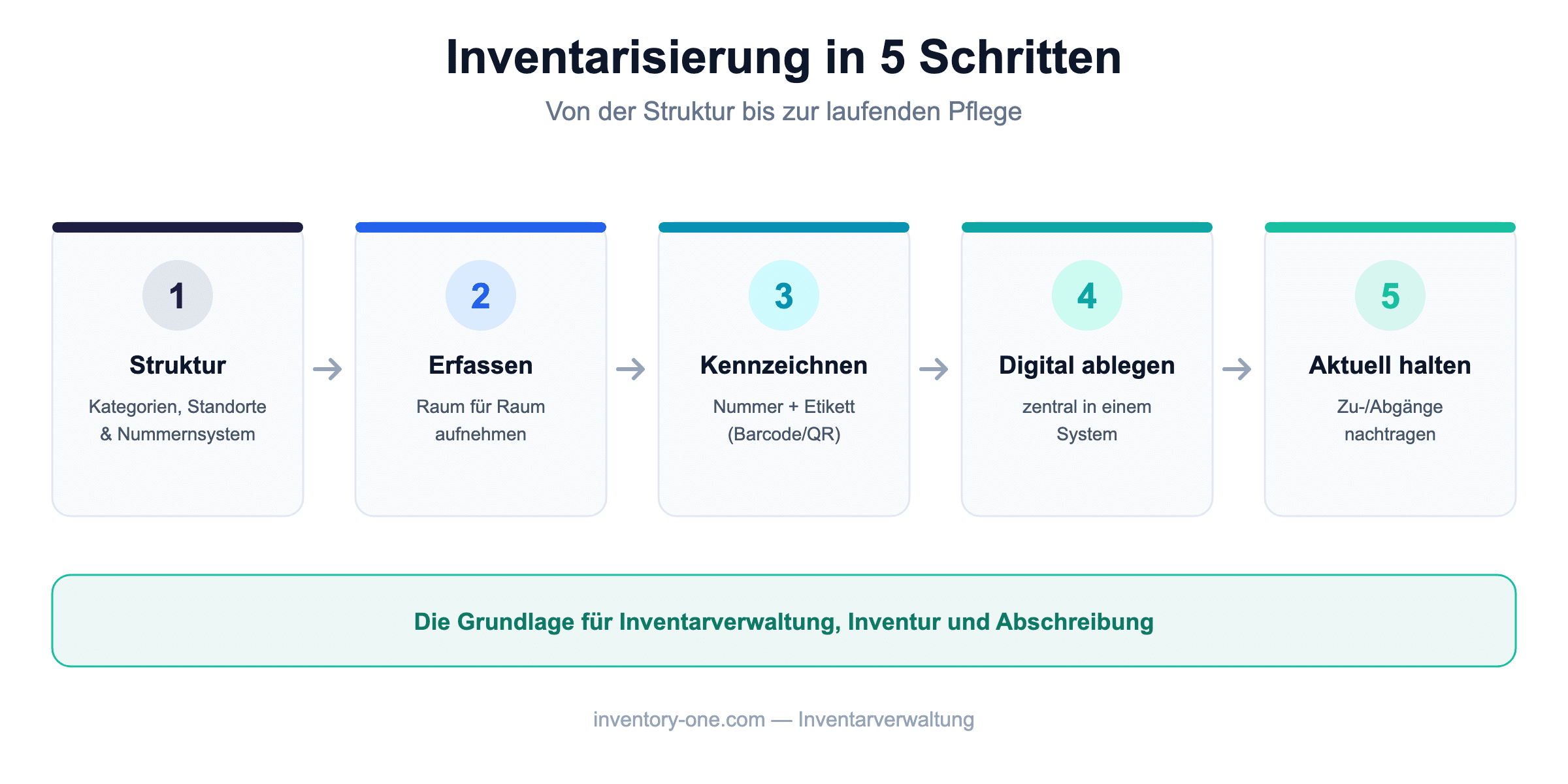
Record items: List each room, including its name, location, and value.
Label: Label each item with an inventory number and a label (barcode/QR code).
Digital filing: Maintain all data in a central system.
Current holdings: Update additions, removals, and location changes on an ongoing basis.
Inventory Taking in Five Steps—The Foundation of Inventory Management.
Inventory Methods
Manually (List/Excel): For small inventories, but prone to errors.
Barcode: Quick data entry; existing labels can be used.
QR code: More information per code, scannable with a smartphone.
RFID: Contactless detection of multiple objects simultaneously.
Manage Inventory Digitally
The amount of work involved in taking inventory depends on the method used: Those who still work with paper lists spend hours transcribing data.
With a digital Inventory Management Software Like Inventory ONE, you enter each item by Barcode or QR Code Scan, automatically assign inventory numbers, and print the corresponding labels directly. You can find an overview of all features on our Product Page, and the video shows how scanning works QR Code Management.
Frequently Asked Questions About Inventory (FAQ)
What is inventory taking?
The complete, structured recording and identification of all of a company's assets—the foundation for inventory management and physical inventory counts.
What is the difference between an inventory list and a physical inventory?
Inventory tracking is the ongoing process of recording items; inventory taking is the counting and reconciliation of inventory as of a specific date.
How is an inventory taken?
Define the structure, record items, label them with inventory numbers and tags, store them digitally, and keep them up to date on an ongoing basis.
What methods are available?
Manual entry, barcode, QR code, and RFID. In practice, barcodes and QR codes are the most common.
All About Inventory Management
Inventory – Definition, Process, and Methods (this article)
As a growing agency, we are always on the lookout for talented and motivated employees. Whether you are a beginner or an experienced professional, we offer you the opportunity to advance your career in a dynamic and innovative environment.